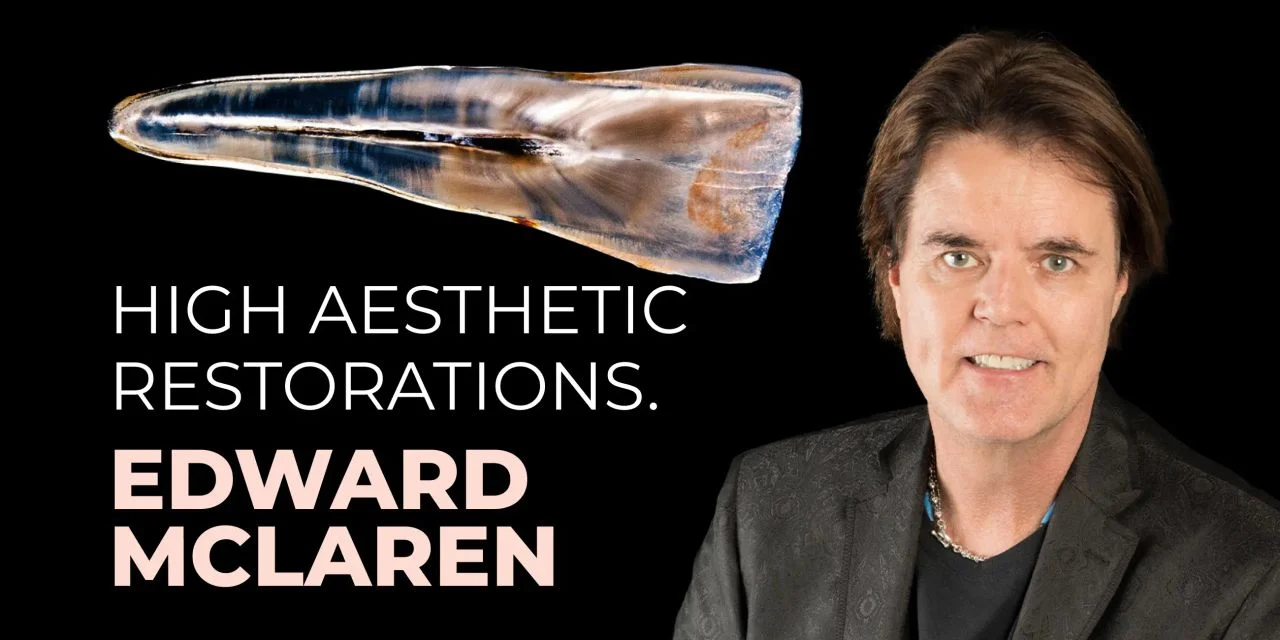
OHI-S High aesthetic restorations 2023

$110.00
OHI-S High aesthetic restorations 2023 study materials review aesthetic assessment, dental photography and ceramic restoration workflows.
Delivery Information: This Product is shared via google drive download link. Please use your correct Gmail address at checkout.
Please note: there are no CME points or certificate associated with this course.
Samples for Courses Can be found here: Free Samples Here!
OHI-S High aesthetic restorations 2023
OHI-S High aesthetic restorations 2023 is a study-file listing covering aesthetic dentistry, dental photography and ceramic restorations. The lessons by Edward McLaren discuss assessment, digital planning and restorative workflows.
This listing does not include an OHI-S account, Premium subscription, software license, live participation or certification. The 2023 label is retained from the store title and is not a claim of a newly updated publisher edition.
Store-listed files: 23 videos, 23 audio files and 23 subtitle files (.vtt); listed size: 15.51 GB. These existing file counts and size have not been independently verified against the delivered folder.
+ Target Audience: prosthodontists, restorative dentists, and dental technicians
Publisher course reference: High aesthetic restorations. Publisher learning-platform benefits are separate from this store listing.
+ Information:
The publisher lists 23 lessons totaling 27 hours 3 minutes. This describes the publisher course, not an independent audit of this store’s delivered files.
Training for prosthetists in the creation of highly aesthetic restorations. Consists of 3 modules:
– fundamental principles of aesthetics: dental, gingival and facial analyzes
– dental photography
– ceramic restorations.
Module 1 (webinars 1-8)
This module reviews dental, gingival and facial assessment for aesthetic treatment planning.
Module 2 (webinars 9-12)
This module covers camera equipment, settings, patient positioning and image editing for dental photography.
Module 3 (webinars 13-23)
This module reviews ceramic restoration planning and clinical workflows, including veneers, inlays, onlays and partial-coverage alternatives, with analog and digital approaches.
Who Should Enroll
- Prosthodontists managing full‑mouth rehabilitations and complex aesthetic cases.
- Restorative dentists & general practitioners performing veneers, crowns, and composite restorations with high aesthetic demands.
- Dental technicians fabricating prostheses that require precision in shade, translucency, and natural appearance.
- Orthodontists & periodontists collaborating in interdisciplinary cases where dental and gingival aesthetics are critical.
- Residents & fellows in prosthodontics or restorative dentistry seeking advanced aesthetic training.
What You’ll Learn
- Principles of high aesthetics: tooth proportion, symmetry, shade matching, and translucency.
- Material selection: ceramics, composites, and hybrid materials optimized for aesthetics.
- Advanced restorative protocols: layering techniques, adhesive strategies, and finishing/polishing methods.
- Integration with gingival and facial aesthetics: ensuring harmony across teeth, gums, and facial features.
- Case‑based lessons: real examples of high aesthetic restorations in anterior and posterior teeth.
Lesson Outline
The topic outline below describes educational content; clinical techniques require appropriate professional training and judgment.
Lesson 1.Introduction. Aesthetic principles in dentistry
Part I. Principles and analysis in aesthetic dentistry
- – Creating colour, counture and texture
- – Creating optimal surface
- – Artistic principles
- – Aesthetic analysis
- – Basic skills of perception
- – Types of aesthetics
- – Facial and oro-facial analysis
- – Oral and dental aesthetic.
- Part II. Photography in dentistry
- – Photoshop smile design technique.
- Part III. Contemporary dental ceramics, material selection, treatment planning
- – Clinical decision making
- – Anterior and posterior adhesive restoration
- – Defect driving preparation.
Lesson 2.Aesthetics vs cosmetics in dentistry
- – Definitions and characteristic of aesthetics, aestetic and cosmetics dentistry
- – Creating a teeth in 3D
- – Characteristic of natural teeth
- – Problems in aesthetic dentistry
- – Patient examination
- – Types of aesthetics:
- – Facial aesthetics
- – Dento-facial aesthetics
- – Dento-gingival aesthetics
- – Dental aesthetics (micro and macro).
Lesson 3.Artistic principles in dentistry
- – Basic artistic principles:
- – Balance
- – Emphasis
- – Proportion
- – Variety
- – Movement
- – Rhythm
- – Harmony.
- – Artistic principles in dentisty:
- – Blend of symmetry and subtle asymmetry
- – Emphasis or the dominant element
- – Proportion
- – Variety
- – Perspective and illusion
- – Frames: lips and gingiva.
- – Basic skills of perception
- – Goals of aesthetic dentistry.
Lesson 4.Facial and oral-facial analysis
- – Facial aesthetics:
- – Key points
- – Anatomical orientires
- – Facial thirds.
- – Steps of facial analysis:
- – Face examination
- – Asking critical questions
- – Checking mid/lower face balance.
- – Profile changing:
- – By using aesthetic dental prototype
- – By using cotton rolls or cured composite.
- – Evaluation of facial aesthetic:
- – Frontal view
- – Sagittal view.
- – Oral-facial aesthetics:
- – Key points
- – Lines and angles.
Lesson 5.Oral aesthetics
- – Oral (labio/dento/gingival) aesthetic
- – Relationships of lips to arches, gingiva and teeth
- – Treatmnent plan:
- – Maxillary incisal edge position
- – Smile line
- – Gingival position.
- – Criteria for the lenght of the maxillary centrals
- – Lip framing
- – Diagnosis keys points.
Lesson 6.Gingival aesthetics
- – Gummy smile:
- – Diagnosis
- – Digital smile design
- – Treatment plan.
- – Clinical cases
- – Dentist/ceramist possibility
- – Step-by-step treatment protocols
- – Dento-gingival aesthetics
- – Gingival and papilla height.
Lesson 7.Dental aesthetics
- – Key points of dental aethetics
- – Macro-dental aesthetics:
- – Facial relationship to dental aesthetic
- – Intra-dental arch space
- – Incisial line
- – Inter-tooth proportion
- – Intra-tooth proportion.
- – Tooth form depending on the face
- – Clinical cases.
Lesson 8.Macro and micro dental aesthetics
- – Levels to create the optimal surface:
- – Primary anatomy: outline form
- – Secondary anatomy: line angles
- – Tertiary anatomy: major grooves
- – Quaternary anatomy: fine grooves
- – Surface color, polish, luster.
- – Ideal aestetics centrals and laterals view
- – “The final touch” protocol.
Lesson 9.Technical aspects of photography in dentistry
- – Camera recommendations:
- – Cameras characteristics
- – Lenses
- – Flashes
- – Polarizing filters
- – Mirrors.
- – Camera settings
- – Photoshop smile design images:
- – Characteristics and features
- – Types.
- – Dental photography guidelines:
- – Shooting position
- – Cheeks retraction
- – Lower 1/3 smiling
- – Arrangement of auxiliary equipment.
- – Types of retractors
- – Using the photo box JoStage in dentistry
- – Clincal examples of simple portraits technique
- – Lightning in dental photography.
Lesson 10.Key points of photography in dentistry
- – Important moments in dental photography:
- – Movements
- – Surface
- – Sequences
- – Pink porcelain
- – Glass ceramic
- – Lips position
- – Composition.
- – Light exposure
- – Exposure time
- – Characteristic of ISO photography format
- – Cleaning of camera sensor
- – Necessary equipment
- – Techniques for making photos from social networks.
Lesson 11.Photoshop for dentists
- – Necessity of photoshop smile design in dentistry
- – Clinical cases of smile design
- – Photoshop key functions
- – Custom interface:
- – Bridge
- – Layers
- – Selectioning
- – Retouching
- – Dodge and Burn
- – Transform, rotation, crop
- – Sharpen.
Basics of photoshop: interface setup
- – Photoshop interface
- – File opening
- – Photography interface:
- – Reset interface
- – Libraries
- – Information palate activation
- – New workspace creation
- – Tools characteristics.
File opening and Bridge
- – Images opening
- – Adobe Bridge interface.
Working with files in the Camera Raw add-on
- – Features of Camera Raw
- – Image formats NEF, CR2 and JPG
- – Camera Raw interface
- – Working with tools:
- – Exposure
- – Shadows
- – Highlights
- – White and Black
- – Clarity
- – Vibrance
- – Saturation
- – Temperature
- – Luminance.
Basics options of Camera Raw
- – Editing multiple images at the same time
- – Features of work with programm tools
- – Images transformation and rotation
- – Сropping a photo
- – Images zoom in / out
- – Moving images.
Layers in Photoshop
- – Layers interface
- – Panel options
- – Image duplication
- – Work with «brush» and «pencil» tools
- – New layer creation.
Selection in Photoshop
- – Layers modifications
- – Work with selection tool
- – Tooth selection
- – Tooth shape and color changing.
Retouching in Photoshop
- – Spots visualization
- – Image preparing for retouching
- – Image simple retouching technique.
Dodging and burning in Photoshop
- – Dodge tool settings
- – Burn tool setting
- – Dodging and burning for smile design.
Rotation in Photoshop
- – Images rotation
- – Separatly layers rotation
- – Crop tool.
Sharpening in Photoshop
- – Step-by-step images sharpening techique
- – Features of working with sharpening.
Size and save in Photoshop
- – Images size changing
- – File saving.
Lesson 12.Photoshop smile design
- – Using of filters masking and liquify
- – Step-by-step video of smile design
- – Simple photoshop smile design technique
- – Reshaping of teeth and gingiva
- – Digital bleaching with the dodge tool
- – Photoshop smile design technique:
- – Selecting
- – Duplicating
- – Transforming
- – Warping.
- – Quick photoshop smile design technique
- – Redesigning with individual library teeth or tracings.
Lesson 13.Bonded functional aesthetic prototype
- – Indications and necessity of using bonded functional esthetic prototype (BFEP)
- – Step-by-step protocol of BFEP technique:
- – Occlusion registration
- – Wax Up design
- – Wax Up impression and silicone key making
- – Teeth preparing: etching, bonding
- – BFEP making
- – Polishing.
- – Material choosing depends on potentional lenght of service
- – Clinical cases of BFEP using.
Lesson 14.Сlinical decision making
- – Treatment choise
- – Crown:
- – Functional definition
- – Materials and characteristics.
- – Restoration and ceramic choosing:
- – Space requirements for material
- – Substrate condition
- – Potential for flexure
- – Tensile stresses
- – Bond or seal.
- – Mistakes in the restoration choice and ways of prevention
- – Fracture resistance of all-ceramic crowns
- – Occlusal veneers or onlays
- – Ceramic selection guidlines
- – Lingual enamel as a treatment planning key
- – Clinical cases of mistakes prevention.
Lesson 15.Ceramics in dentistry
- – Classifications of dental ceramics:
- – By micro-structure
- – By etchability
- – By micro-structure and processing techniques.
- – Rational for ceramic selection
- – Ceramics characteristic
- – Comparison of ceramics and metals
- – Material selection
- – Flexural strenghth of ceramic cores and veneering porcelains
- – Critical elements that causing materials failure
- – Translucent zirconia.
Lesson 16.Сeramic veneers. Preparation features
- – Minimally invasive approach to teeth preparation
- – Keys for successful minimal preparation
- – Step-by-step video protocol of minimal invasive tooth preparation
- – Removing A-prismatic layer and sclerotic layer
- – Vertical preparation and esthetic re-contour
- – Recommendations for tooth preparation
- – Features of interproximal area micropreparation
- – Cord technique
- – Non-conventional tooth preparation
- – Reduction controlling
- – Instruments selection
- – Video protocols of preparation:
- – Incisal zone
- – L-zone
- – Margine zone
- – Interproximal area.
- – Clinical cases:
- – Esthetic rehabilitation
- – Diastema closing
- – Teeth fracture treatment
- – Discoloration masking.
Lesson 17.Defect driven preparation for lays
- – Inlays and onlays indications
- – Recommendation for teeth preparation
- – Step-by-step onlay/inlay protocols
- – Finish line design
- – Adhesive metal-free restorations
- – Burs selection
- – Material selection
- – Onlay preparation video protocols:
- – On patient
- – On typodont.
- – Vonlays: conservative alternative to full crown
- – Clinical cases analysis.
Lesson 18.Immediate dentin sealing and “the block out restoration”
- – Ceramic onlay fracture causes
- – Keys for long-term ceramic restorations success
- – Build-up or foundation restorations: indications and contraindications
- – Resin-coating technique
- – Video protocols:
- – Dentin sealing
- – Block out restorations
- – Standard immediate dentin sealing technique.
- – Clinical cases.
Lesson 19.Shade analysis and communication. Selection of the color of the future restoration
- – Color choosing
- – Shade trilogy:
- – Visual shade analysis
- – Shade analysis photography
- – Computerized shade analysis.
- – Contrast enhancement
- – Classical shade guide
- – Camera position for taking photography
- – Shade guides positioning for photography
- – Photoshop for shade analysis.
Lesson 20.Integration of digital into aesthetic and restorative dentistry. Introduction of “The digital dental team”
- – The «Digital Dental Team»
- – Digital scanning
- – Digital dental team concept
- – Laboratory perspective
- – Material choosing.
Lesson 21.Dentist ceramist communication in a digital world
- – Treatment planning and communication:
- – 1st visit
- – 2nd visit
- – Laboratory stage
- – 3rd visit.
- – Patient examination:
- – Visual analysis
- – Photoprotocol
- – Digital scanning
- – Photoshop smile design.
- – Digital scans analysis
- – Patient motivation
- – Digital smile design
- – CAD/CAM techologies
- – Bonded functional esthetic prototype
- – Guided dental preparation
- – Implant dentistry planning
- – CAD/CAM materials.
Lesson 22.Сurrent concepts in adhesion. Adhesion and cementation
- – Surface cleaning before veneer fixation:
- – Cleaning systems
- – Steam cleaning.
- – Video protocols of:
- – Restoration preparing
- – Tooth etching
- – Adhesive tooth preparing
- – Anterior restoration cementation and polishing
- – Posterior onlay cementation.
- – Conventional and new universal adhesives
- – Immediate dentin sealing vs Delayed dentin sealing
- – De-sensitisers and adhesion
- – Occlusion correction.
Lesson 23.The final touch of ceramic restorations
- – Levels of macro-dental esthetic
- – Optimal surface creations levels
- – Choosing tooth form depending on the patients face
- – Steps of tooth shaping:
- – Initial measurements on tooth proportion
- – Canine angle creation
- – Lingual surface creation
- – Embrasure forming.
- – Profile and incisal view
- – Step-by-step video protocol of surface creation
- – Burs selection
- – Wax texturing
- – Polishing tools and materials.
Related products
Basic science